
EVERY MOOD HAS A STORY
NetMirror APK
Big-screen stories.
Your everyday escape.
Get to know NetMirror. Explore movie, series and anime categories, viewing features, and practical help for getting started.
Download NetMirrorDownload details & installation guidance


Sample artwork for illustration · Title availability varies.
- ENTERTAINMENTMovies · Series · Anime
- VIEWING OPTIONSExplore playback tools
- LANGUAGE TOOLSSubtitle information
- DEVICE & SETUPCheck compatibility
NetMirror
NetMirror APK is a popular search among people looking for a simple way to explore movies, TV shows, and web series on Android. Instead of switching between multiple apps, users can easily find different types of entertainment at one place.
The NetMirror app is mainly known for its simple layout and easy content discovery. Moreover, it may provide useful options such as search, subtitles, different playback choices, and offline viewing for supported content.
What Is NetMirror APK?
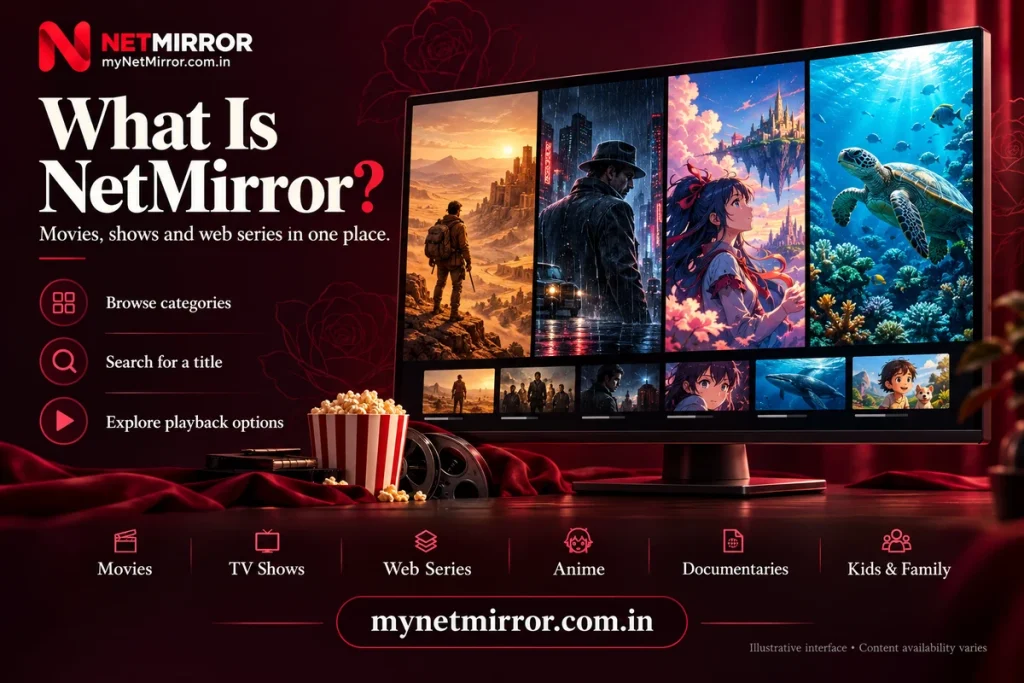
NetMirror is an entertainment app that brings movies, TV shows, and web series together in one place. It gives users a simple way to browse different types of content without switching between multiple apps.
The main idea is straightforward. First, you open the app and search for something you want to watch. Then, you select an available title and start playback when a working source is available.
Moreover, the interface is designed for quick browsing, so users can explore content without spending much time learning complicated menus.
However, availability, playback quality, subtitles, and other features may vary depending on the current app version and available content sources. Therefore, checking the version details before installation can help avoid compatibility or playback issues.
NetMirror Latest Version
The NetMirror latest version may include changes to the interface, playback system, search function, or overall performance. Moreover, new releases can fix bugs and improve issues found in older versions.
As a result, using an outdated APK may sometimes cause problems. For example, a title might fail to load, the player may stop working, or certain options may not appear as expected.
Therefore, before installing a new release, check the version number, file size, Android requirement, and download source. This can help you choose a suitable version for your device.
NetMirror APK Information
| Information | Details |
|---|---|
| App Name | NetMirror |
| Package Type | APK |
| Category | Entertainment |
| Platform | Android |
| Latest Version | V6.0 |
| File Size | Around 51 MB |
| Android Support | Android 4.2+ |
| Price | Free |
| Main Use | Movies, TV Shows & Web Series |
| Subtitles | Available on supported content |
| Offline Viewing | Available where supported |
The exact APK size and Android requirement can vary between releases and builds, so users should check the details shown with the particular file they download. Some online listings show different versions and package sizes.
NetMirror App Content Categories
Movies
The Movies category is one of the main sections of NetMirror. It can include different types of films from various countries and languages. For example, users may find action, comedy, romance, horror, thriller, drama, and family movies in this section. Moreover, popular and recently added titles can help users discover something interesting to watch. In addition, the available movie selection may change depending on the current app version and content sources.
TV Shows
The TV Shows category is useful for users who prefer watching episodes instead of individual movies. It can include different types of television programs, such as drama, comedy, crime, and reality shows. Furthermore, users can search for a particular show and continue watching its available episodes. In addition, the selection of shows and available episodes may vary depending on the current app version and content sources.
Web Series
The Web Series section focuses on episodic content created for online viewing. It may include drama, romance, action, mystery, thriller, and comedy series. Moreover, web series often contain multiple episodes and seasons, making this category useful for viewers who enjoy longer stories. In addition, users can search for a specific series and watch its available episodes when a working source is provided.
Anime
The Anime category is designed for viewers who enjoy Japanese animation and similar animated content. It can include anime series, movies, action stories, fantasy titles, adventure shows, and other popular genres. In addition, selected content may offer subtitle or language options, depending on the available source. Therefore, users can explore different titles and choose content based on their preferred genre or language.
Documentaries
The Documentaries category is suitable for viewers who prefer informative and real-world content. It may cover subjects such as history, nature, science, technology, sports, travel, and real-life events. Moreover, documentaries can offer a different viewing experience compared with regular movies and fictional shows. Therefore, this section can be useful when you want to explore educational topics, real stories, or interesting subjects.
Kids & Family
The Kids & Family category brings together content that may be suitable for family viewing. It can include animated movies, cartoons, family shows, adventure stories, and other light entertainment. Moreover, parents can use this section to explore content intended for younger viewers. However, age suitability can vary between titles, so checking each movie or show before watching is recommended.
Main Features of NetMirror APK
Simple Content Search
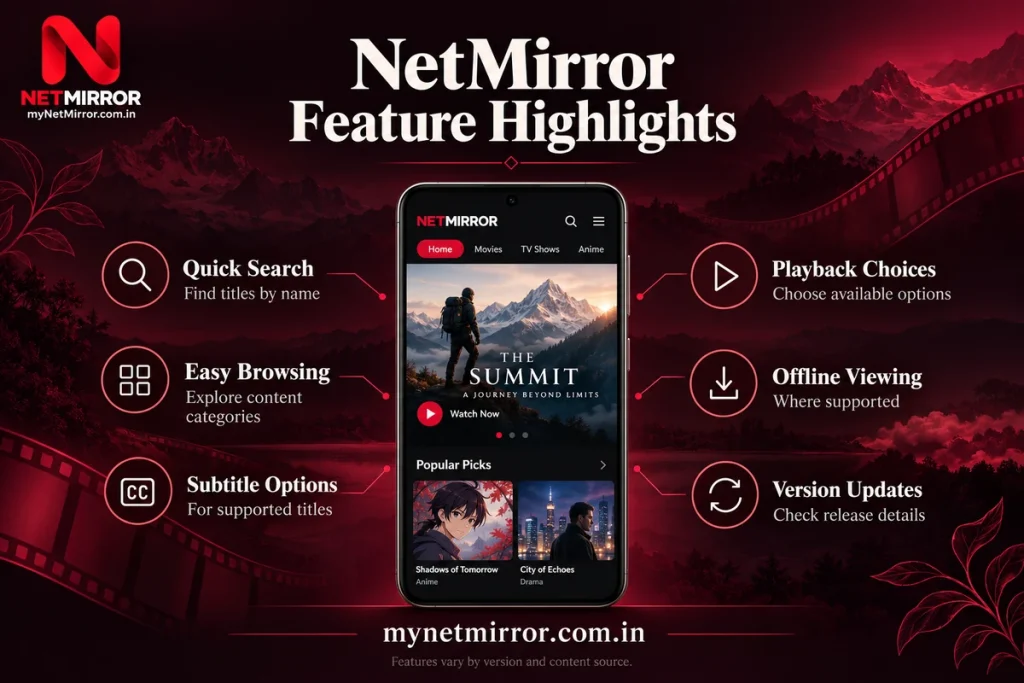
The search option is one of the most useful parts of the NetMirror APK. Instead of scrolling through a large library, you can type the name of a movie, show, or series. As a result, finding a specific title can take less time.
Movies and TV Shows
This app is mainly built around entertainment content. Depending on the current version and available sources, users may find movies, television shows, and web series. The selection can change over time. So, a title available today may not always be available in the same way later.
Subtitle Support
Subtitle support can make watching more comfortable, especially when a movie or series uses another language. Where subtitles are available, users may be able to choose a preferred language from the player settings.
Multiple Playback Options
Some versions and sources provide more than one playback option. This can be helpful when one stream does not load correctly. In that situation, another available option may work better.
Still, playback depends heavily on the internet connection and the source. So, no app can guarantee perfect streaming every time.
Easy Interface
A simple interface matters when you only want to find something and start watching. It uses a straightforward browsing style. Menus, categories, search, and playback options are generally kept easy to understand.
Offline Viewing
Some NetMirror APK versions or supported content may provide a download option. This can be useful when you know you will have a weak internet connection later. For example, you could prepare content before travelling and watch it when an internet connection is not available.
However, offline downloading is not necessarily available for every title or every version.
Regular Improvements
New versions may bring bug fixes and small performance improvements. Therefore, if an older version starts showing errors, checking the latest NetMirror APK can be worth considering.
NetMirror Download – What to Check First
Before starting a NetMirror download, do not only look at the download button.
In addition, avoid installing files that ask for permissions that do not make sense for their purpose.
How to Download NetMirror APK
Downloading the NetMirror APK is usually a simple process.
Before installation, make sure you have enough free storage. Also, avoid downloading several APK files from unknown pages because it can make it harder to identify the correct version.
How to Install NetMirror APK on Android
Once the NetMirror download is complete, installation is normally quick.
If the installation fails, check whether your Android version is supported. Also, make sure the APK file is complete and was downloaded properly.
NetMirror APK on Older Android Phones
Older phones may have limited storage, RAM, or processing power. Because of this, a newer NetMirror latest version may not always perform in exactly the same way on every device. If playback feels slow, close unnecessary background apps first. Then, lower the video quality if that option is available. A stable internet connection also matters. Even a lightweight application can struggle when the network is slow or unstable.
NetMirror for PC
Many users also search for NetMirror for PC because they prefer watching movies and shows on a larger screen.
One common method is to use an Android emulator. The emulator creates an Android environment on Windows, allowing compatible APK files to be installed and tested.
The basic process is
However, emulator performance depends on your computer. A system with enough RAM and free storage will generally provide a smoother experience.
NetMirror on Android TV
Watching entertainment on a television can feel more comfortable, especially for longer movies and series. If a compatible NetMirror TV APK is available for your Android TV device, installation may be possible through the supported APK installation method. The exact steps depend on your TV model and Android TV version.
Moreover, remote navigation is important on a television. An app that works well on a phone may not always have the same experience on a TV.
NetMirror on iPhone and iPad
The Android NetMirror APK cannot simply be installed on an iPhone or iPad because iOS uses a different application system.
Therefore, users searching for NetMirror iOS should check whether a legitimate web-based or iOS-compatible option is currently available rather than trying to install an Android APK.
Do not download random files that claim to be an iOS APK. iPhones and iPads do not use APK files for normal app installation.
NetMirror Streaming Quality
Streaming quality depends on several things. Your internet speed is one important factor. The available source is another. Your device hardware and the selected video quality can also affect playback.
For this reason, claims about guaranteed HD or 4K playback should be treated carefully. If the video keeps buffering, try a lower quality setting first. Also, close other apps that may be using your internet connection.
Is NetMirror Easy to Use?
For most basic tasks, the idea is quite simple.
NetMirror APK Permissions and Safety
Safety should be considered before installing any third-party APK. Do not assume that a file is safe simply because its name says NetMirror latest APK. Instead, check where the file came from, scan it before installation, and review the permissions requested by the application. If an APK asks for access that seems unrelated to its main function, think carefully before giving permission. Also, keep your Android device updated and use a trusted security solution when possible.
NetMirror APK vs Other Streaming Apps
Swipe horizontally to compare all columns.
| Feature | NetMirror APK | Regular Streaming Apps |
|---|---|---|
| Installation | APK installation may be required | Usually store-based |
| Content | Movies, shows and web series | Depends on service |
| Search | Available | Usually available |
| Subtitles | Depends on content | Depends on service |
| Offline Viewing | Version/content dependent | Often available on selected plans |
| Login | Depends on version | Often required |
| Updates | May require manual installation | Usually automatic |
| Device Support | Depends on version | Depends on the official app |
The biggest difference is the installation method and the way content is provided.
Regular streaming services normally have official distribution channels. With a third-party APK, users need to pay more attention to the file source and version.
Common NetMirror Problems and Simple Fixes
NetMirror Is Not Opening
- First, restart the app.
- If the problem continues, restart your device.
- You can also check whether a newer NetMirror latest version is available.
NetMirror Keeps Buffering
- Check your internet connection first.
- Next, lower the video quality if possible.
- If other apps are also slow, the problem may be related to your network rather than the app.
NetMirror APK Is Not Installing
Check your Android version and available storage. Also, make sure the APK download was completed properly. A damaged or incomplete file may fail during installation.
Search Is Not Working
Close and reopen the app. If the problem remains, check your internet connection. Search features can also change between versions.
Video Is Not Playing
- Try another available playback option if the app provides one.
- You can also restart the app and check whether the same title works later.
How to Update NetMirror APK
Updating the NetMirror app can help when an older release has bugs or compatibility problems.
NetMirror Latest APK – What Makes an Update Useful?
An updated APK can bring small but useful changes. For example, developers may fix playback errors, improve the search system, adjust the interface, or solve compatibility issues. Moreover, newer versions can include performance improvements and minor bug fixes. However, a newer version does not always mean that every feature will work perfectly on every phone. Therefore, checking Android compatibility and the version details is important before installing an update.
Pros and Cons of NetMirror App
Pros
- Simple interface
- Easy content search
- Movies and TV shows in one place
- Subtitle support on selected content
- Different playback options may be available
- Some versions support offline viewing
- Android-focused APK installation
Cons
- APK installation may require extra steps
- Features can change between versions
- Content availability may vary
- Streaming depends on internet speed
- Third-party APK files require extra safety checks
- iOS installation is different from Android
NetMirror Alternatives
If you are looking for alternatives to NetMirror, these apps provide different types of movies, TV shows, web series and other entertainment. Their content, pricing and availability can vary by country.
Netflix
Offers a large collection of movies, TV shows, documentaries, anime and original series. It also supports offline downloads on supported plans and devices.

Prime Video
Includes movies, web series, TV shows and original content. It also provides options for downloading selected titles for offline viewing.

Disney+
A popular choice for movies and series from Disney and other major entertainment brands. Its available library depends on the user’s country.

YouTube
Besides regular videos, YouTube also has movies, shows, documentaries, live content and creator-based entertainment. Some content may require payment or a subscription.

Hulu
Provides movies, TV shows, original series and other entertainment content. However, its availability is limited in some regions.
Frequently Asked Questions
Final Words
NetMirror APK can be an easy option for Android users who want to explore movies, TV shows and web series from a simple interface. The NetMirror app may also provide useful features such as search, subtitles, playback choices and offline viewing on supported content. However, features can change with each release.
Therefore, before starting a NetMirror download, check the APK version, Android requirements, file size, permissions and source. Most importantly, do not focus only on finding the NetMirror latest APK. A clean file, compatible version, stable internet connection and safe installation are equally important for a better experience.